
A glowing ball races a neon roller coaster through deep space. Tap to switch sides, slip past the spikes at the last second and chain Perfect Dashes across ten cosmic universes.
Parlayan bir top, uzayın derinliklerinde neon bir roller coaster yolunda yarışıyor. Dokun, taraf değiştir, engellerin yanından son saniyede kay ve on kozmik evrende Perfect Dash zincirleri kur.
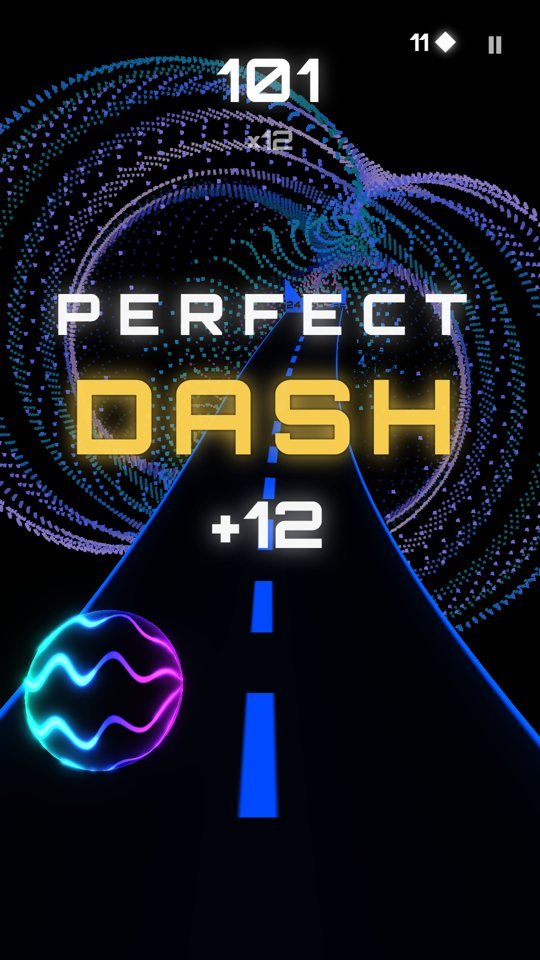
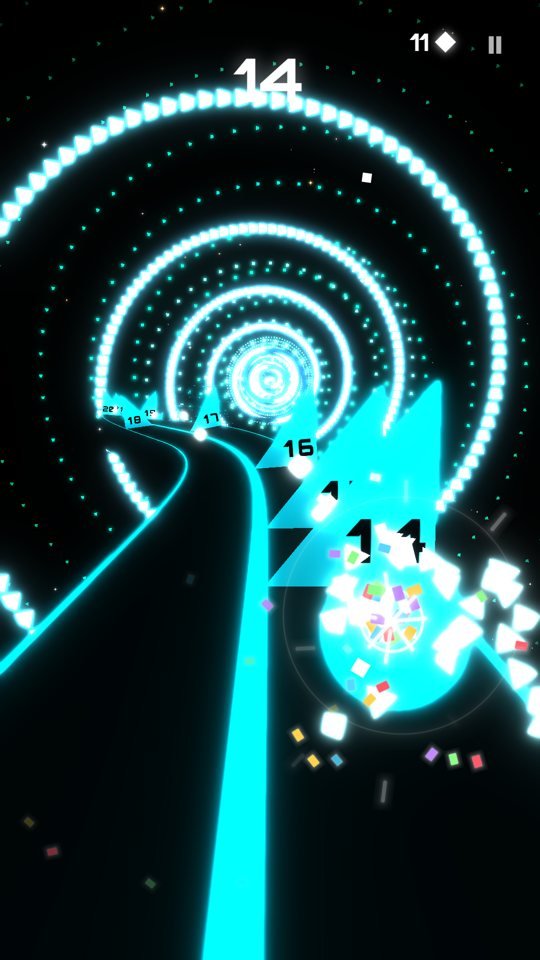
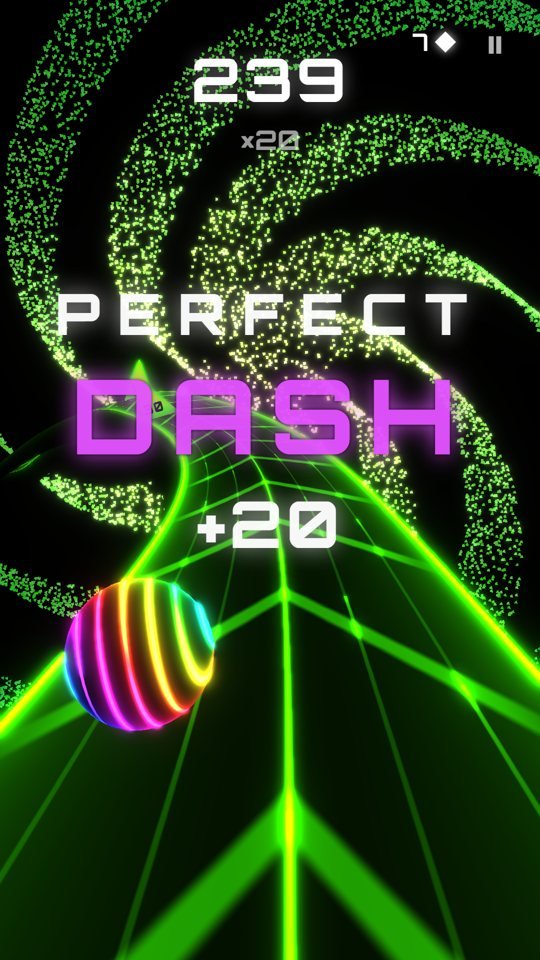
Tap anywhere to jump to the other half of the track. That is the whole control scheme.
Ekranın herhangi bir yerine dokun, top yolun diğer yarısına geçsin. Bütün kontrol bu.
Switch at the very last moment for bonus points and a growing multiplier.
Son anda taraf değiştir: bonus puan ve büyüyen çarpan.
Black hole, spiral galaxy, quasar, neural network and more, all reacting to your speed and the music.
Kara delik, sarmal galaksi, kuasar, nöral ağ ve daha fazlası; hepsi hızına ve müziğe tepki veriyor.
40+ spheres, road styles, 10 ranks, missions and daily rewards. Plays offline.
40+ küre, yol stilleri, 10 rütbe, görevler ve günlük ödüller. İnternetsiz oynanır.
Tap the screen to switch sides and pass the triangle spikes. Every spike you pass is a point. Switching at the last moment is a Perfect Dash: it adds a bonus and grows your combo.
Ekrana dokunarak taraf değiştir ve üçgen engellerin yanından geç. Geçtiğin her engel bir puan. Son anda taraf değiştirmek Perfect Dash sayılır: bonus puan verir ve kombonu büyütür.
Spheres, gems, ranks, missions and settings are saved on your device only. Deleting the game or clearing its data removes them, and they do not move to a new device. If you sign in to Google Play Games (Android) or Game Center (iOS), your best score and achievements are also kept there.
Küreler, elmaslar, rütbeler, görevler ve ayarlar yalnızca cihazında saklanır. Oyunu silmek veya verilerini temizlemek bunları siler; yeni bir cihaza taşınmaz. Google Play Games (Android) veya Game Center (iOS) hesabına giriş yaptıysan en iyi skorun ve başarımların orada da tutulur.
Open Settings and choose the Performance graphics mode. It lowers resolution and particle effects for smoother play on older phones.
Ayarlar'dan Grafik modunu Performans yap. Eski telefonlarda daha akıcı oynanış için çözünürlüğü ve parçacık efektlerini azaltır.
Music, sound effects and vibration can each be switched off in Settings.
Müzik, ses efektleri ve titreşim Ayarlar'dan ayrı ayrı kapatılabilir.
Leaderboards and achievements need an internet connection and a signed-in Google Play Games (Android) or Game Center (iOS) account. The game itself plays offline.
Skor tablosu ve başarımlar için internet bağlantısı ve Google Play Games (Android) veya Game Center (iOS) girişi gerekir. Oyunun kendisi internetsiz oynanır.
Remove Ads turns off the ads between runs; rewarded ads stay optional. If you reinstall the game or change phones, sign in with the same Google or Apple account and use Restore Purchases in Settings. Payments and refunds are handled by Google Play or the App Store.
Reklamları Kaldır, turlar arasındaki reklamları kapatır; ödüllü reklamlar isteğe bağlı kalır. Oyunu yeniden yüklersen veya telefon değiştirirsen aynı Google ya da Apple hesabıyla giriş yapıp Ayarlar'daki Satın Alımları Geri Yükle'yi kullan. Ödeme ve iadeler Google Play veya App Store üzerinden yapılır.
You can change your ad consent from Privacy options in Settings. On iPhone, tracking permission is in iOS Settings → Privacy & Security → Tracking. Details are in the privacy policy.
Reklam iznini Ayarlar'daki Gizlilik seçenekleri'nden değiştirebilirsin. iPhone'da izleme izni iOS Ayarlar → Gizlilik ve Güvenlik → İzleme'dedir. Ayrıntılar gizlilik politikasında.
Write to alieren3d@gmail.com. Please include your phone model, operating system version and the game version (shown in Settings).
alieren3d@gmail.com adresine yaz. Telefon modelini, işletim sistemi sürümünü ve oyun sürümünü (Ayarlar'da yazar) eklersen daha hızlı yardımcı olurum.